Search SV(M): Find movies and TV seasons

Search SV(M): Find movies and TV seasons

Open the sidebar menu and click Search to find titles in the SV(M) database. 


Back to User Guide 


Search by title or keyword

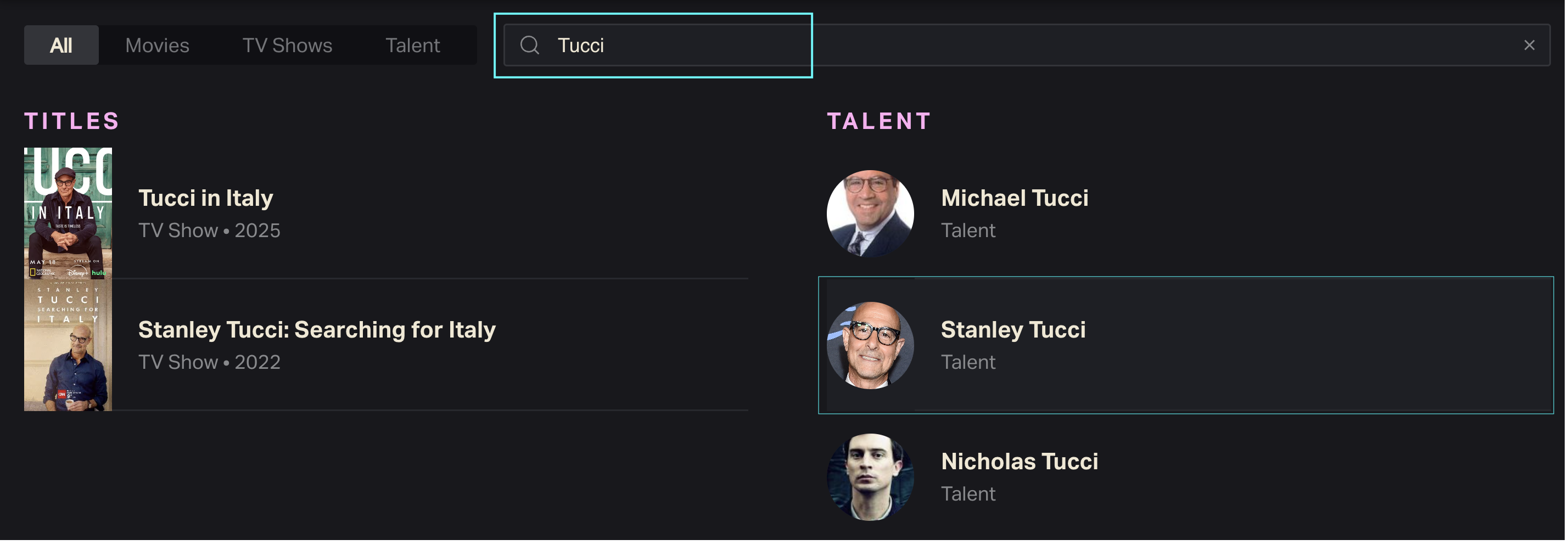
Start typing the title of a movie or TV show in the search bar. Suggested results will populate automatically and narrow down as you continue typing your query.


Results will include both TV and movie titles.


Full search results appear as a scrollable list ranked based on name match (i.e. closeness to your query) and total viewership. 


Click any title to visit its Dashboard. 


SV(M) Search FAQs

Why isn’t the search bar delivering the results I expect?

A keyword search returns results ordered by relevance as well as popularity. Scroll through search results to see all potential title matches.


You don’t need to search by exact title, but a full title (vs. a couple of keywords) is more likely to return the desired result. Check spelling and phrasing to ensure a title match. 


If you don’t see the show or movie you’re looking for anywhere on the list, it may not be in our database yet. SV(M) does not track all library titles. Titles that are not current or not streaming originals may not appear in search results.


Can I search by genre, talent or production company?

Not yet. SV(M) only supports searching by title or title keyword. 


How do I find a specific season of a TV show?

Search by show title, then go to the TV Series Dashboard to select a season.


More to know 

SV(M) User FAQs: Help with film and TV streaming tools

Comparison: Head-to-head streaming performance

SV(M) Ranking Report: Sort and export top titles


Read next: Title Dashboards: TV seasons and films at a glance


    • Related Articles

    • SV(M) Home: Trending titles and current charts

      Welcome home! Whether you access SV(M) from the URL svm.luminatedata.com or via your Luminate user portal, you’ll land on your account’s Home page. Navigation Open Home from the SV(M) sidebar menu. Back to User Guide Preview this week’s charts The ...
    • Troubleshooting SV(M) login issues

      Forgot your Luminate password? Can’t access SV(M)? Getting a mysterious error message? Our Support team can help—but first, try these troubleshooting tips. See below for common SV(M) login problems and our recommended solutions. Back to Getting ...
    • Quickstart Guide: Set up SV(M) in minutes

      Welcome to Luminate Streaming Viewership (M)! Use this guide to set up your SV(M) account and log in for the first time. Even if you’ve subscribed to other Luminate products before, you’ll need a separate SV(M) subscription to access the platform. ...
    • SV(M) User Guide FAQs: Help with platform features

      Got a question about an SV(M) tool, feature or setting? We may have answered it already. See below for common user questions — plus answers — about the SV(M) platform. This page answers questions about using the SV(M) platform: UI, UX and everything ...
    • Welcome to SV(M): Streaming Viewership, Modeled

      Welcome to Luminate Streaming Viewership (M), your source for film and TV streaming measurement and analytics. Designed and operated by Luminate, the entertainment industry’s trusted third party of record, SV(M) ingests data from multiple sources and ...
    • Popular Articles

    • Quickstart Guide: Set up CONNECT in minutes

      Whether you’re a new user or already have a Luminate account, here’s how to log in, access the CONNECT platform and start uncovering music insights. Back to Getting Started Quickstart steps If you already have a Luminate account for something else, ...
    • Troubleshooting login and access issues

      Locked out of your Luminate account? Can’t log in to CONNECT? Getting a mysterious error message? Our Support team can help — but first, try our troubleshooting tips. See below for common login problems and our recommended solutions. Back to Getting ...
    • Troubleshooting guide: Quick fixes to common problems

      If you’ve hit a CONNECT roadblock—access issues, error messages, apparent bugs—don’t despair! There could be a simple solution. Use this guide to narrow down the problem and/or make it easier to explain to Client Support. First, review our best ...
    • Methodology 101: How Luminate collects, models and measures music data

      Luminate tracks music consumption activity. We do this by ingesting reported activity from thousands of data sources. We use that data to construct and maintain a musical entity database. This allows us to attach metadata and activity to artists, ...
    • Glossary: Acronyms, key terms and definitions

      Key terms and acronyms used in CONNECT. Back to Terms and Concepts Back to How It Works A ATD Activity to Date Combined total activity, starting from the earliest year for which CONNECT has complete data and ending with the selected time frame. ATD ...